Stryker

SOLID Insights

React Native client for pre-surgical planning—secure patient data, async insight pipelines, and interactive 3D knee models.

Surgeons preparing MAKO knee procedures used a web platform for patient records and generated 3D bone insights. I owned end-to-end development of the mobile client on Stryker's DevOps team—from Azure AD integration and REST API wiring through Three.js rendering and automated UI testing.

Context

Problem

For osteoarthritis patients undergoing MAKO-assisted knee surgery, pre-operative planning depends on patient-specific 3D models and procedure metadata hosted in Stryker's SOLID web platform.

The web client worked in the clinic, but surgeons needed the same confidential data and insight visualizations on mobile—without re-architecting the backend. I built a React Native app that reuses the existing API and auth model, surfaces insight-generation state per patient, and renders interactive STL-based knee models on device.

The product

Key features

01 — Authentication

Azure AD and token-based API access

Sign-in runs through Expo AuthSession with Azure Active Directory. On success, the app stores the access token and attaches it to every REST request for patient and insight data.

Unauthorized accounts never leave the sign-in flow; authorized users only see patients returned by the API for their credentials.
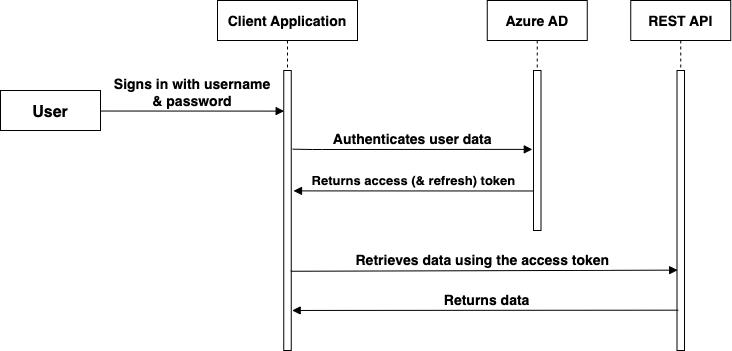
Authentication and data retrieval flow

Auth token flow and downstream API requests
02 — Patient list

Insight pipeline state at a glance

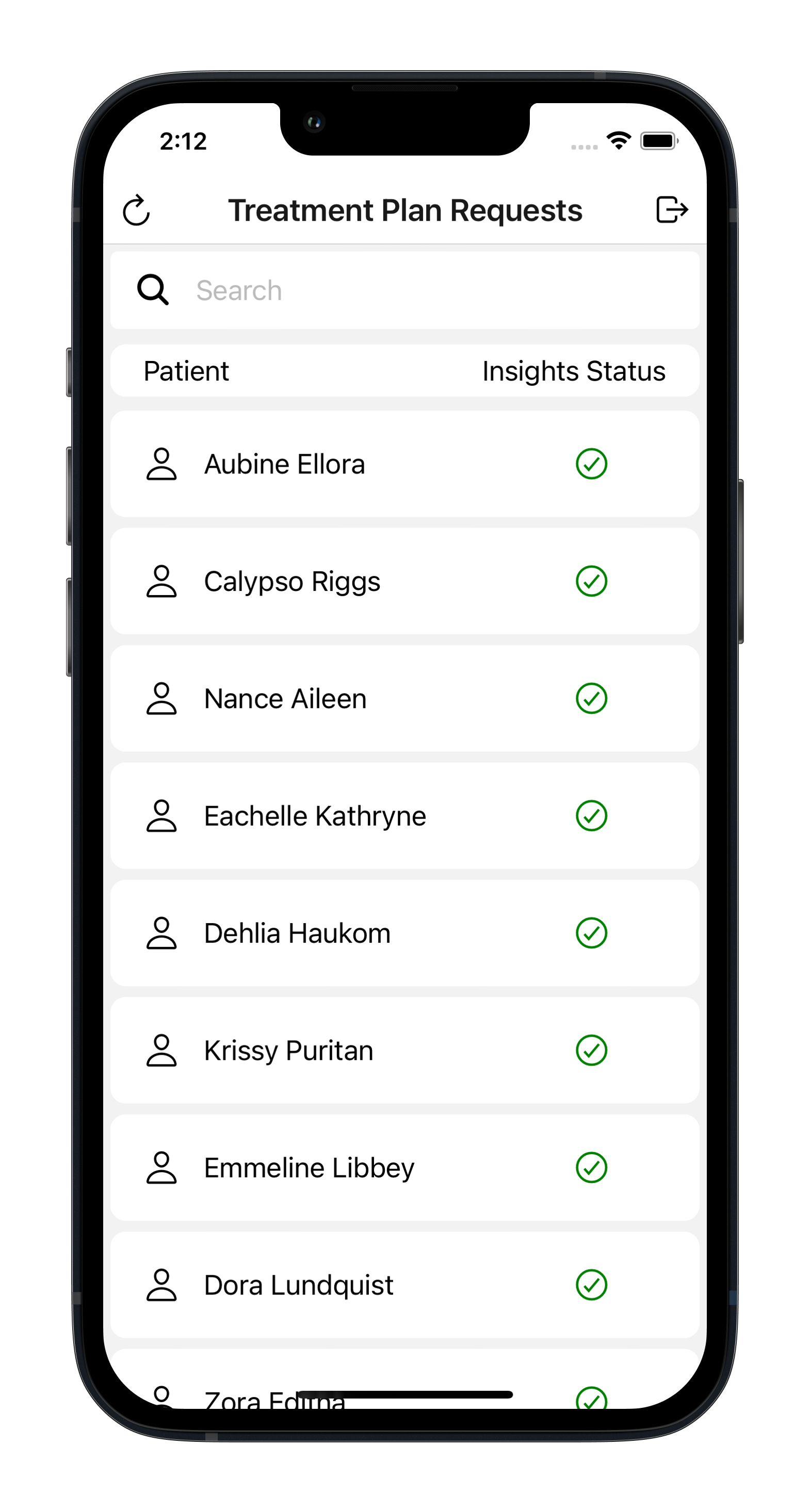
The home screen loads the surgeon's patient roster from the backend. Each entry carries an insight-generation state—generated, processing, error, or not started—so it's immediately clear which cases have 3D models ready.

Client-side search and pull-to-refresh keep the list usable during long-running insight jobs without requiring a full re-authentication cycle.

SOLID Insights home screen
03 — Procedure detail

Procedure metadata and gated navigation

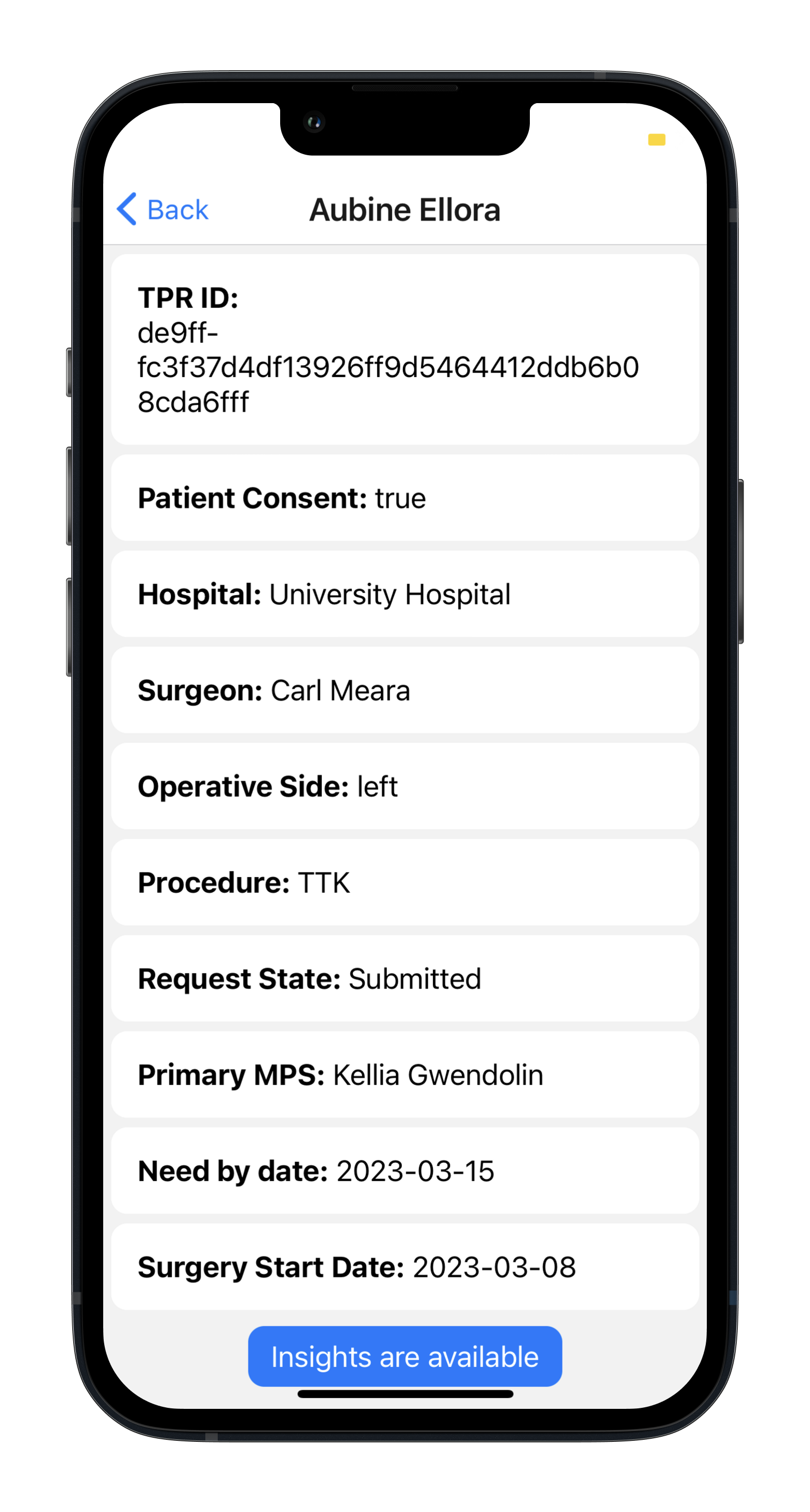
Selecting a patient fetches procedure details and the current insight status from the API. The 3D viewer entry point only appears when the backend reports a completed insight run, preventing navigation to unloaded or stale geometry.

This keeps the detail screen useful even while models are still generating—surgeons see procedure context without hitting dead-end viewer states.

SOLID Insights data screen
SOLID Insights 3D knee view
04 — 3D viewer

STL-based knee model on React Three Fiber

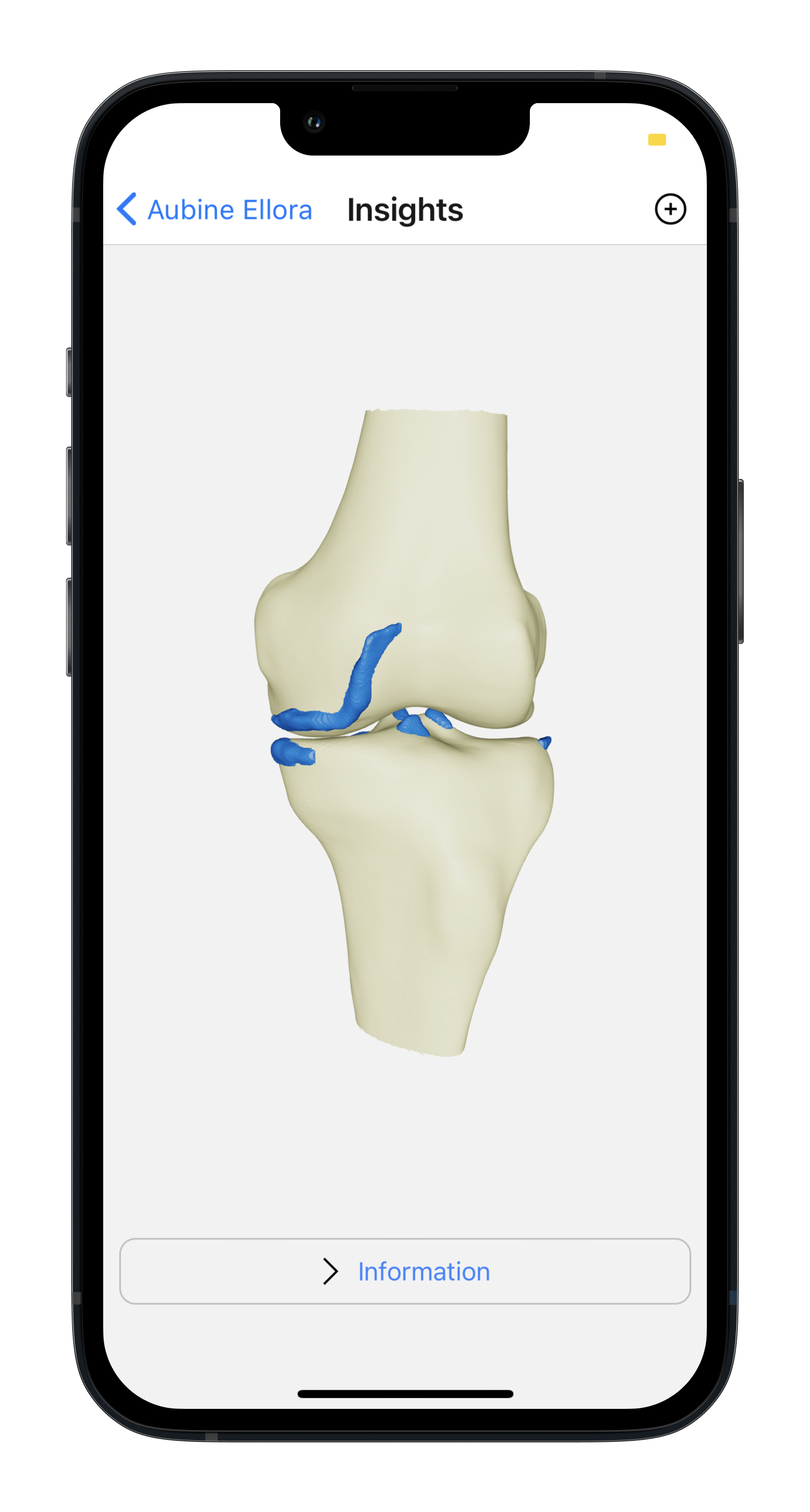
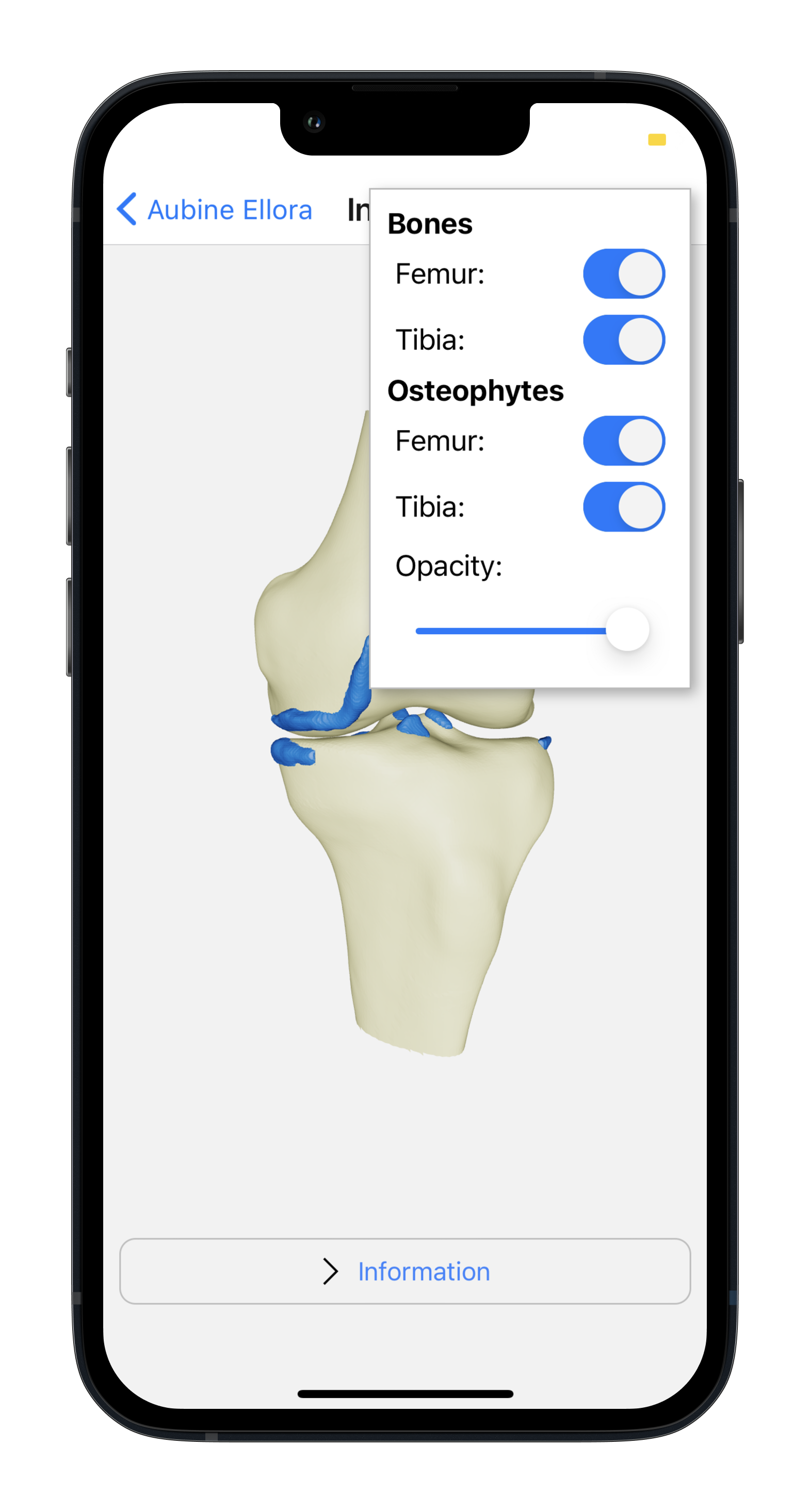
The insights screen renders per-patient STL geometry for femur, tibia, and segmented osteophytes using React Three Fiber. Each layer can be toggled and osteophyte opacity adjusted independently, so bone structure and growth regions can be inspected in isolation.

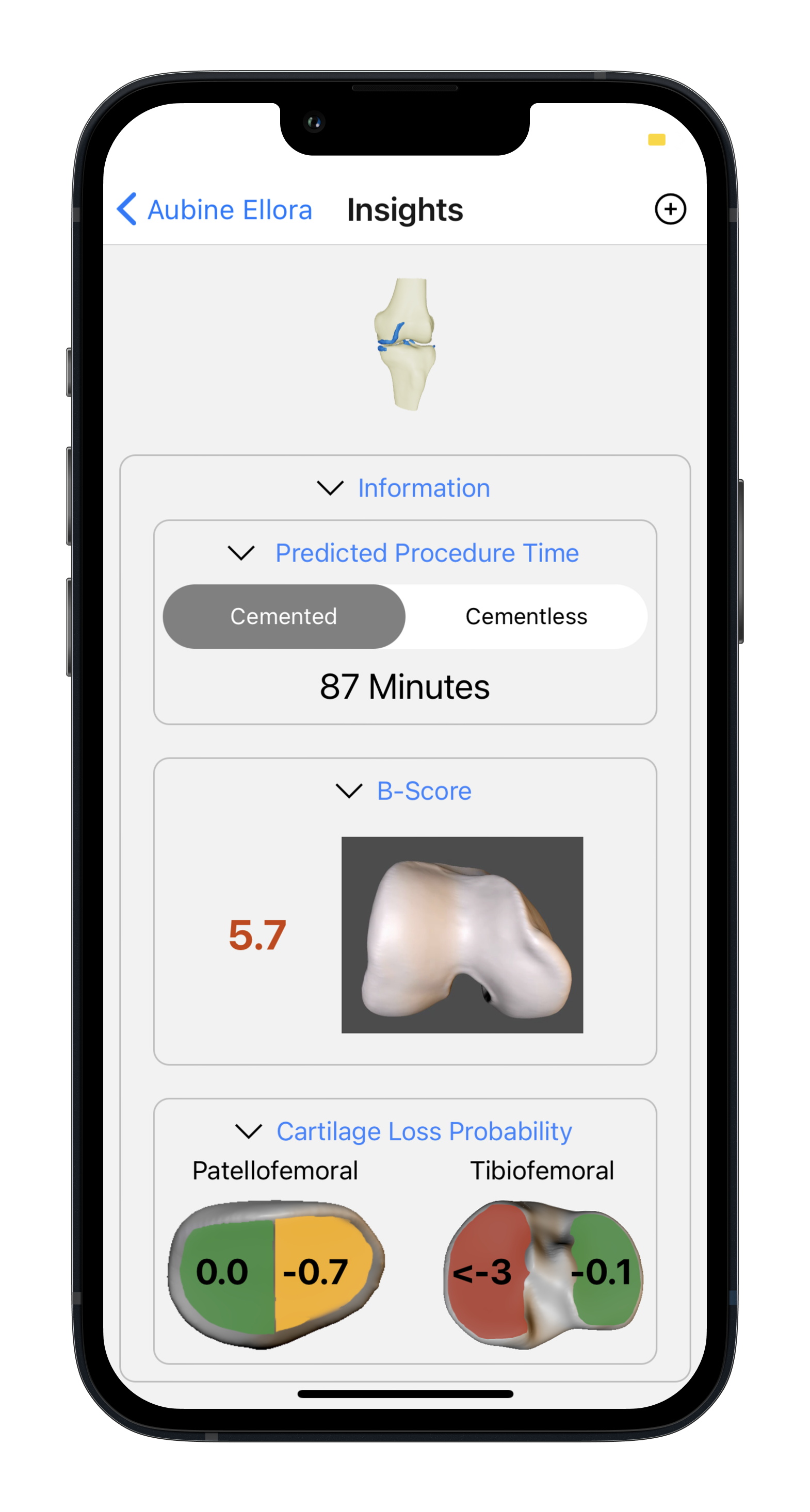
The viewer sits alongside computed surgical metrics—estimated procedure time, b-score, and cartilage-loss probability—loaded from the same insight payload as the 3D assets.

Insights screen view 1
Insights screen view 2
Insights screen view 3